


Stock Events Portfolio Tracker
4.5509.00 Reviews
App Specs
- Version
- 9.38.6
- Updated On
- License
- Free
- Downloads
- 500,000+
- Developer
- Stock Events: Stock Market & Finance
- Categories
- Finance
- Platform
- Android
Screenshots
 Analysis by AppCompare
I like investment apps best when they help me answer a simple question without turning every check-in into a research project: what do I own, what is coming up, and what deserves my attention? Stock Events Portfolio Tracker is built around that practical routine. It brings portfolio tracking together with stock events, news, earnings, and dividends, making it useful as a personal market dashboard rather than a place to trade. That distinction matters: I see it as a tool for staying organized, not as a substitute for deciding what to buy or sell.
Keeping Track Made Easy
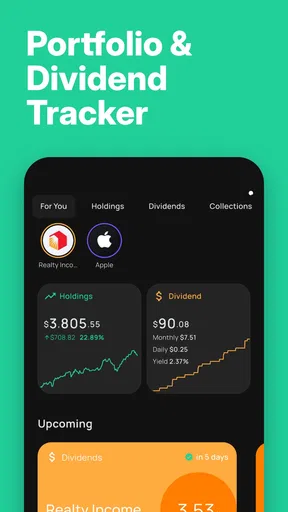
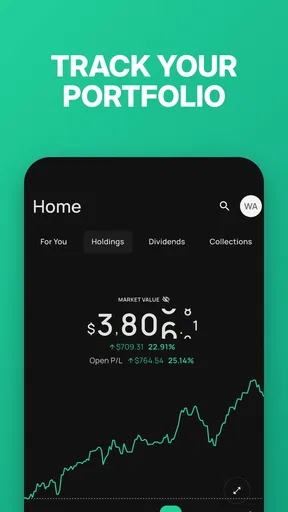
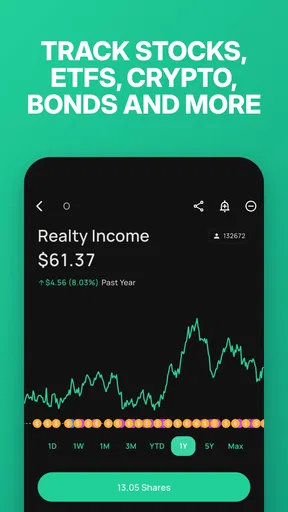
When I first downloaded Stock Events Portfolio Tracker, I was immediately impressed by its user-friendly interface. No complicated charts or overwhelming data dumps—just straightforward, clean design. The home screen gives you a snapshot of your portfolio, showing gains, losses, and everything in between. It's like having a personal investment report card that you don't have to dread looking at.
One of the app's standout features is its ability to track real-time stock prices. This is super handy if you want to keep a pulse on the market without flipping through different apps or websites. Plus, you can set up notifications to alert you of significant changes, ensuring you never miss an opportunity or a potential red flag.
Features That Shine
Beyond the basics, Stock Events offers a plethora of features that cater to both novice and experienced investors. You can personalize your portfolio by adding stocks from various global markets. This allows you to have a diversified view, right at your fingertips.
"My favorite part? The economic calendar! It’s like having a crystal ball for market events."
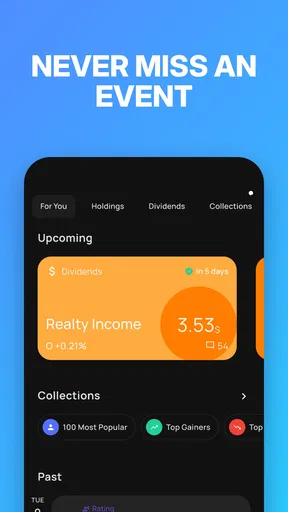
The economic calendar is a true gem. It lists all upcoming market events, earnings reports, and even dividend distributions. This feature has been a game-changer for me, helping me plan my trades around significant market movements.
- Custom Alerts: Tailor notifications to get updates on specific stocks or market trends.
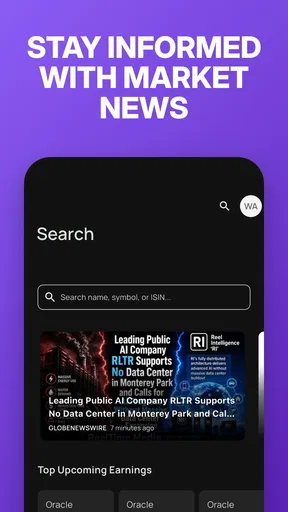
- News Integration: Stay informed with the latest financial news directly within the app.
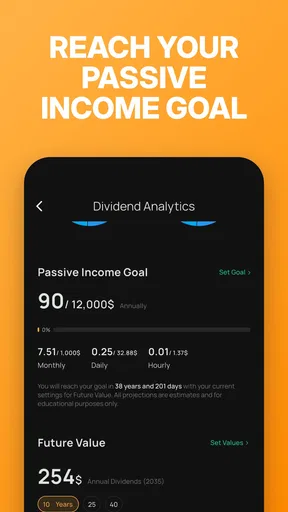
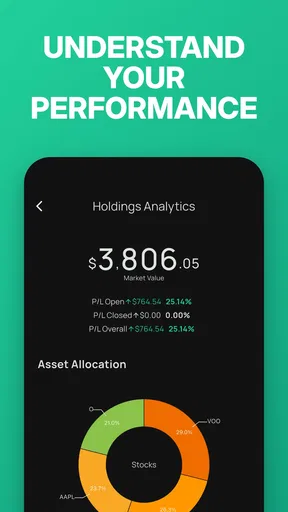
- Performance Analytics: Dive deep into your portfolio’s performance with detailed analytics.
A More Useful Daily Routine
The strongest case for this app is not that it predicts the market; it is that it can reduce the small bits of investment admin that otherwise get scattered across a calendar, a notes app, and several quote pages. I find it most useful when I treat it as a quick briefing. I can check how my watchlist is moving, look for an upcoming earnings date, and then decide whether I need to do any deeper reading. That sequence is more disciplined than reacting to a price alert in isolation.
A realistic example is a busy weekday morning before work. Rather than opening several brokerage and finance apps, I can use one dashboard to see whether a holding has moved, then check whether a dividend or company event is approaching. If nothing needs attention, I can close it and get on with the day. If something does, the event context gives me a reason to investigate instead of treating every fluctuation as a signal to act.
Worth Reading Before You Choose

EA SPORTS FC Mobile 26 Is a Bigger Football Game, but It Takes Time

Flipboard Shows What News Apps Must Do Beyond the Feed

Switching to Android Auto Means Rethinking Your Driving Routine

Google Calendar Makes a Crowded Week Easier to Manage

Ludo King Makes the Most of the Minutes Between Plans

Baby Panda World Brings Quick Play to Modern Phones, but Its Game Library Feels Busy
There is a useful distinction between tracking an investment and recording an investment decision. A portfolio view can help you see your positions together, but I would still keep a separate note of why I bought something, what would change my mind, and any tax or account details I need. That makes the app a companion to a thoughtful process, rather than the whole process. It is especially helpful for people who follow several companies but do not want to check each one manually every day.
Calendar and Alerts Need a Light Touch
The calendar becomes more valuable when I use it for preparation, not prediction. An earnings date tells me when a company is due to report, but it does not say what the report will contain or how the market will respond. I would use the date to decide when to read more, or whether I am comfortable holding through a potentially busy period, rather than treating it as a cue to trade automatically. The same caution applies to dividend dates: they are useful reminders, not a guarantee of a particular investment outcome.
Alerts also work best when they are selective. If I set one for every small move across a long watchlist, the phone can become another source of noise and I may start ignoring the notifications that matter. I would begin with a short list of holdings or events that genuinely warrant attention, then adjust after seeing how often the alerts are useful. This is a modest but important workflow tip: notifications should support a plan you already have, not create a reason to react to every market movement.
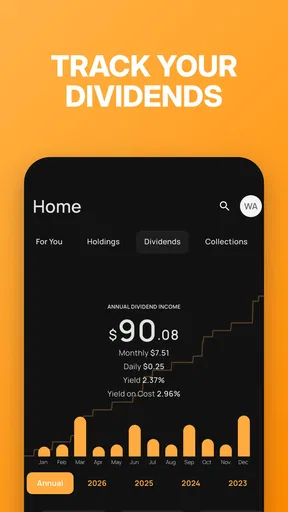
For someone building a dividend-oriented portfolio, the event view can help turn a vague intention to “keep an eye on payments” into a repeatable check-in. I can review what is coming up, compare it with the holdings I track, and notice when I should verify an item against an official company or brokerage source. That final verification remains worthwhile for consequential decisions; an organizer is convenient, but I would not make it the sole authority for account records or financial commitments.
Where It Fits Among Finance Apps
Compared with a brokerage app, Stock Events is better understood as a cross-portfolio overview than as the place to execute orders or manage every account task. A broker is usually the more direct choice when I need to place a trade, see account-specific documents, or handle cash and transactions. Compared with a general market-news app, Stock Events has a more personal angle: the portfolio and event calendar help connect market information to the companies I care about. Those are different jobs, and many investors may reasonably keep both kinds of tools.
A spreadsheet remains a serious alternative for people who want full control over calculations, custom fields, and how records are arranged. It can be more work to maintain, but it is easier to shape around a particular method. Stock Events is appealing when I would rather spend less time building and updating a tracker. On the other hand, if I need highly customized accounting, detailed tax-lot records, or a complete view of every account, I would choose a dedicated financial tool or my brokerage’s own records for those tasks instead of expecting a lightweight tracker to cover everything.
It is also worth separating a portfolio tracker from investment advice. Market updates and analytics can make it easier to stay informed, but they cannot establish whether a stock suits your goals, finances, or tolerance for risk. I would not use a price change, a news headline, or an upcoming event as an automatic buy-or-sell instruction. The app is most responsible and useful when it helps me notice what to research, while the decision still comes from my own plan and, where appropriate, qualified financial guidance.
The Learning Curve
For beginners, there might be a slight learning curve, but nothing too overwhelming. The app does a great job of offering guides and tips to help you navigate through its features. It's like having a friendly tour guide by your side, ensuring you make the most out of every tool available.
One thing to note is that while the basic features are free, some advanced options require a premium subscription. If you're serious about investing, though, it's a worthy investment (pun intended).
Who Should Try It—and Who Shouldn’t
I think it is a good fit for a self-directed investor who wants a convenient overview, follows companies across markets, or keeps an eye on earnings and dividend events without making a spreadsheet the center of the routine. It can also suit a newer investor who wants to build the habit of reviewing holdings and upcoming dates, provided they understand that tracking information is not a lesson in valuation or a personal recommendation to trade.
I would steer away if you want an app to execute trades, replace your broker, provide individualized financial advice, or maintain a complete official record of every transaction and tax detail. It is also not an ideal match for someone who finds market notifications stressful or tends to make impulsive decisions after seeing short-term price changes. In that case, fewer alerts—or no alerts—may be healthier, and a periodic review through a brokerage or a simple long-term plan could be a better fit.
The practical question of whether the free version is enough depends on how you use it. If you mainly need a place to follow a portfolio and check events, starting free is the sensible move. Paid options are available through in-app purchases, ranging from $2.99 to $49.99 per item, so I would first identify exactly which extra capability I need rather than paying simply because I invest. The app is free to download, rated for Everyone, and developed by Stock Events: Stock Market & Finance. It has a 4.6 average from 9.4K ratings, with 100K+ installs; those figures suggest it has found an audience, though they do not tell me whether its particular workflow will suit yours.
On Android, version 9.30.5 requires Android 7.0 or later. That is useful to know before installing on an older device. I would also take a few minutes at the beginning to add only the holdings and watchlist names I truly follow. Starting with everything that has ever caught my eye can make the dashboard harder to read and the alerts less meaningful. A smaller, deliberate setup gives the calendar and portfolio view a clearer job from the outset.
Final Thoughts
In my experience, Stock Events Portfolio Tracker is more than just an app; it’s an essential tool for any investor looking to streamline their investment strategy. Its combination of simplicity, robust features, and real-time updates make it a must-have. Whether you're tracking stocks for fun or managing a serious portfolio, this app is designed to keep you informed and in control.
So, if you’re tired of the financial clutter and want to keep your investments organized and up-to-date, give Stock Events a try. It might just become your new best friend in the investing world.
My recommendation is more measured: try it if you want a calmer way to keep a watchlist, portfolio overview, and event schedule in view, then judge it by whether it helps you follow your own process. I would pair it with a brokerage for account actions and authoritative records, and with independent research for decisions. Used that way, Stock Events can earn a regular place in a personal finance routine without pretending to do every job an investor needs.
Pros
- User-friendly interface for easy navigation.
- Real-time market data and updates.
- Customizable alerts for stock changes.
- Supports multiple portfolios for tracking.
- Comprehensive news integration.
Cons
- Limited features in free version.
- Ads can be intrusive at times.
- Requires internet for most functions.
- No cryptocurrency tracking available.
- Occasional sync issues reported.
FAQs for Stock Events Portfolio Tracker
What features does the Stock Events Portfolio Tracker offer?
Stock Events Portfolio Tracker provides a comprehensive set of features to manage and track your investments. It offers real-time stock market data, personalized alerts, dividend tracking, and insights into your portfolio's performance. The app supports multiple currencies and integrates with your existing investment accounts, making it easy to monitor various financial assets.
Is the Stock Events Portfolio Tracker suitable for beginner investors?
Yes, the Stock Events Portfolio Tracker is designed to cater to both beginners and experienced investors. Its user-friendly interface and intuitive navigation make it easy for newcomers to understand and manage their portfolios. Additionally, educational resources and market insights are available within the app to help users make informed investment decisions.
How secure is my financial data on the Stock Events Portfolio Tracker?
Security is a top priority for the Stock Events Portfolio Tracker. The app employs advanced encryption protocols to protect your personal and financial data. It also offers two-factor authentication for an added layer of security. Regular updates and compliance with industry standards ensure your information remains safe from unauthorized access.
Can I track multiple investment accounts with this app?
Absolutely. The Stock Events Portfolio Tracker allows users to sync and manage multiple investment accounts in one place. Whether you have stocks, mutual funds, or other assets, the app consolidates all your holdings for a comprehensive overview. This feature streamlines portfolio management and helps you maintain a clear picture of your financial situation.
Are there costs associated with using the Stock Events Portfolio Tracker?
The Stock Events Portfolio Tracker offers a free version with basic features, but there may be premium plans available that unlock advanced functionalities. These plans often include additional features such as in-depth analysis tools and enhanced customer support. It's advisable to review the pricing details within the app to choose the plan that best suits your needs.


